A branded Stripe Customer Portal login on your domain.
Stop sending customers to a generic Stripe URL. Add a passwordless, magic-link login page on your WordPress site — then hand off to the Stripe-hosted Customer Portal for self-service billing.
Everything you need to put Stripe billing on your domain.
Login for Stripe Customer Portal is the WordPress entry point for the Stripe-hosted Customer Portal. Customers log in on your site; Stripe still hosts the billing UI.
Magic-link email login
Customers enter their email and receive a secure, time-limited login link. No passwords on your site, no support tickets to reset them. Links expire after one hour.
Custom URL or shortcode
Choose any slug for the login page (e.g. /customer-portal/) or embed the form anywhere with [login-stripe-customer-portal].
Payments-grade hardening
Tokens SHA-256 hashed at rest. Per-email + per-IP rate limiter. Constant-response wording prevents the page from being used as an email-enumeration oracle against your customer list.
Restrict who can log in
Optionally limit access to existing Stripe customers only, or allow new emails to register through the flow (a Stripe customer is auto-created on first redemption).
Custom post-logout redirect
When customers log out of the Stripe Customer Portal, send them back to a URL you control — not a generic Stripe page. Configurable from the settings screen.
Developer extension surface
Documented filters and actions for every stage of the flow — email body, subject, headers, form template, login URL, return URL, message text, redirect target. Customize without forking.
From install to live in three steps.
No code, no theme edits, no separate user accounts to sync.
Paste your Stripe API key
Drop your Stripe Secret Key into the settings page. The key is rendered as a fixed-length mask in source — no length leak.
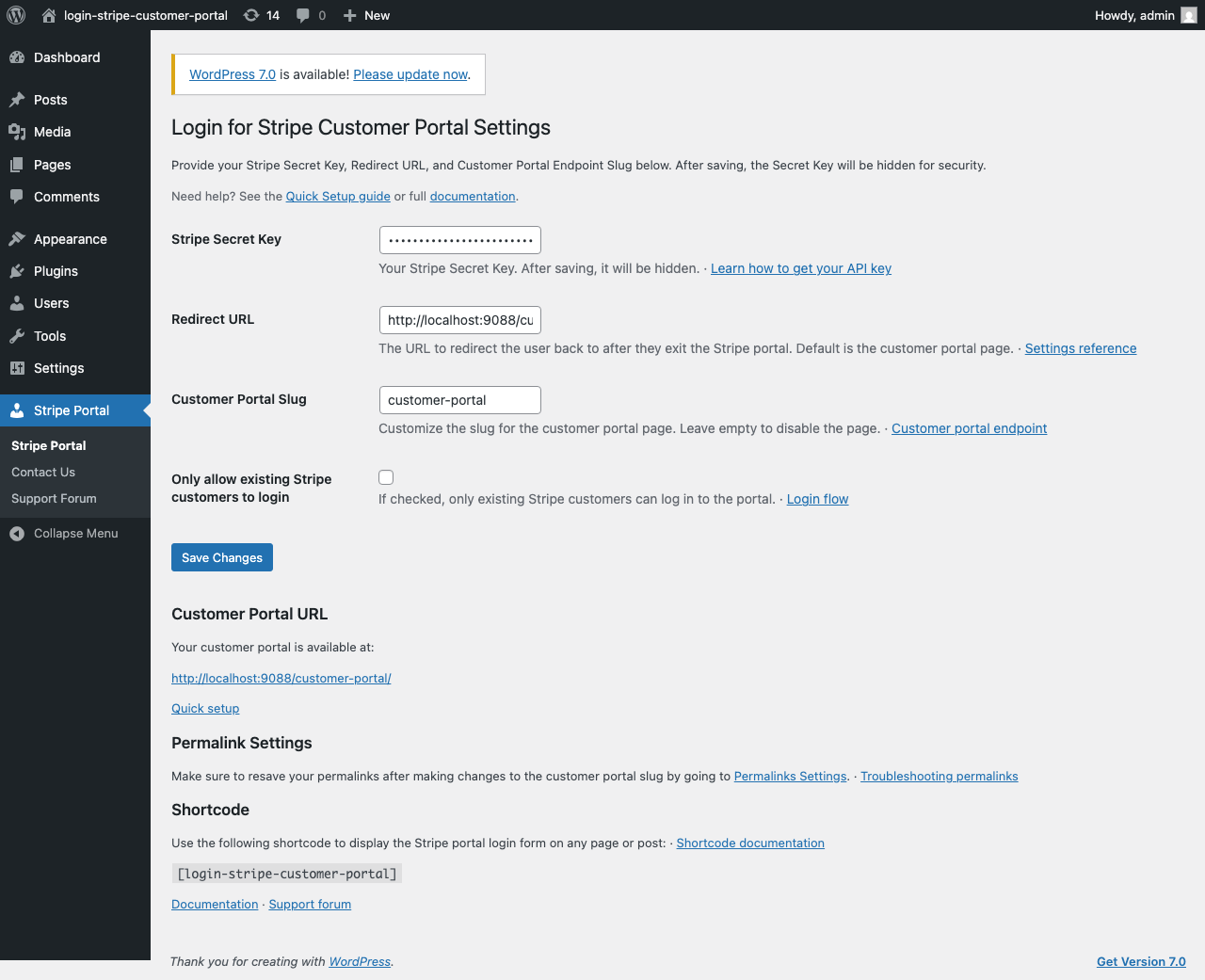
Pick a URL or use the shortcode
Define a slug like /customer-portal/ — or drop [login-stripe-customer-portal] on any page.
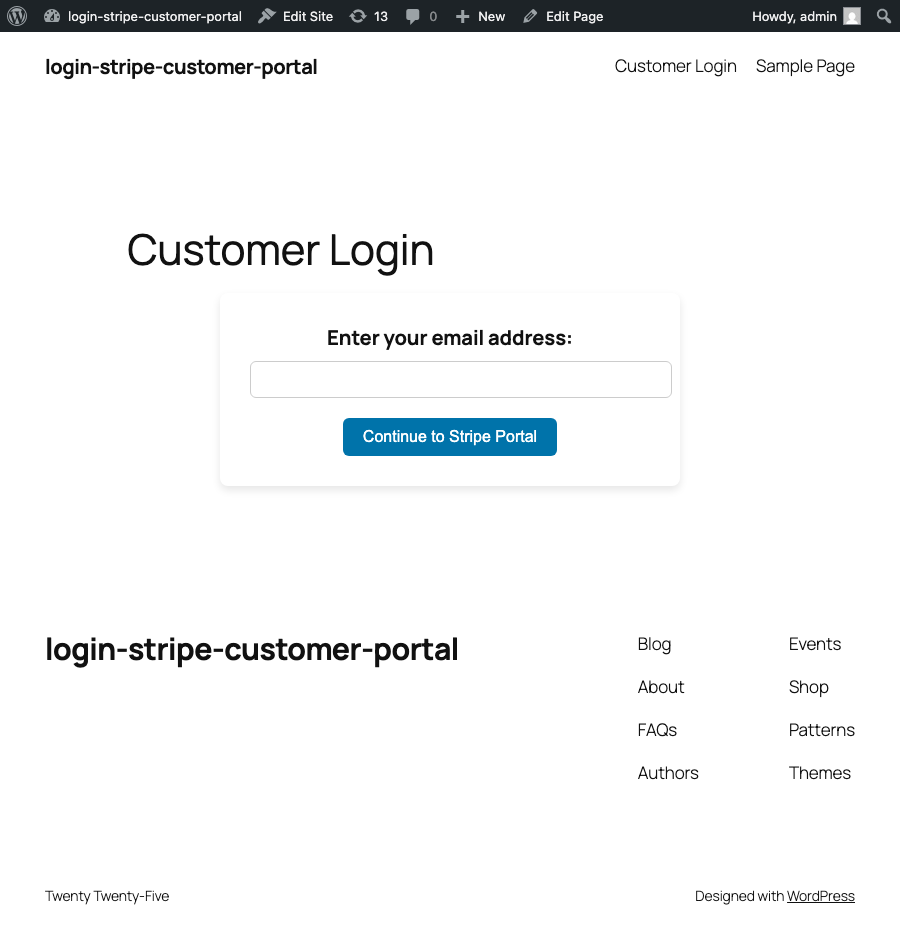
Customer clicks the magic link
They receive a secure 1-hour link by email. One click drops them in the Stripe-hosted Customer Portal to manage subscriptions and payment methods.

The login lives on your site. The billing UI is Stripe’s.
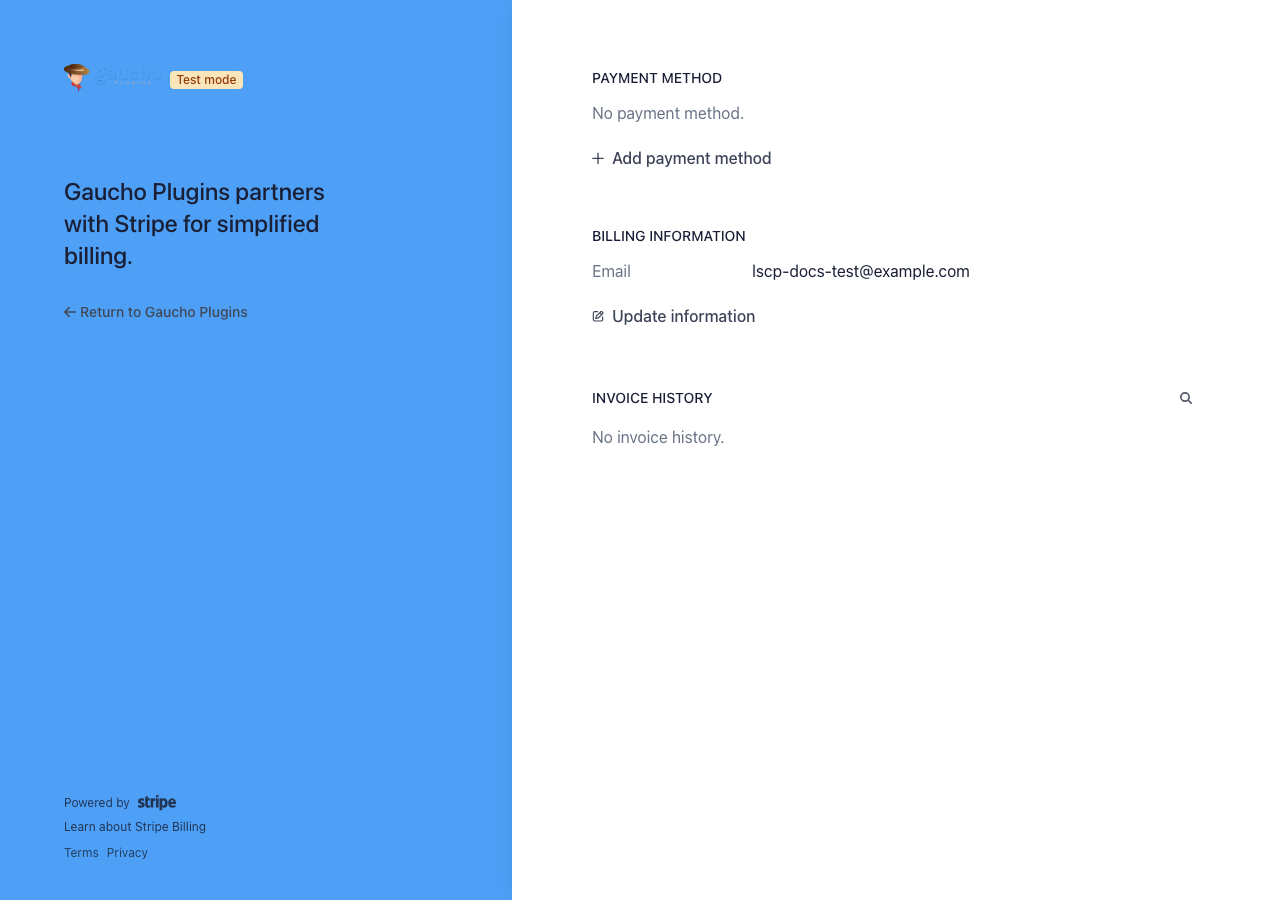
Once a customer redeems the magic link, they land in the official Stripe Customer Portal — PCI-aware, accessible, multi-language, and maintained by Stripe. You handle login. Stripe handles billing.
- Update card & payment methods
- View & download invoices
- Cancel, pause, or switch plans (if you allow it in Stripe)
- Update tax IDs, billing email, and address
Six PRO unlocks for serious Stripe operators.
Every PRO tier — 1, 3, 25, or 100 sites — includes every feature below, white-label included. Pick the tier that matches your portfolio.
Branded email templates
6 designs, logo upload, brand colors, custom subject and CTA. Make the magic-link email look like it came from you, not from a generic WordPress mailer.
Login-form styler
Template library plus color pickers. Per-shortcode template overrides — different look on different pages without touching CSS.
Woo / MemberPress / LearnDash
Drop-in “Manage Billing” buttons. WP-user ↔ Stripe-customer bridge means existing logged-in members go straight to the portal, no second email step.
Stripe webhook → WP roles
Listen to Stripe events and grant or revoke WordPress roles by rule. Replaces a typical $99/yr SaaS membership tool — the rules live in your own database.
Multi-Stripe-account support
Run several Stripe accounts from one site. Route logins by URL slug, email domain, or WordPress role — one install, many businesses.
Agency white-label
Remove the “Powered by Gaucho Plugins” attribution. Included in every PRO tier — ship the plugin to clients under your own brand.
Built for the WordPress sites that need this most.
SaaS & subscriptions
Stripe Billing customers logging in to self-manage.
Membership sites
Self-service billing without a separate SSO stack.
Agencies
Branded billing across a client portfolio. White-label included in every PRO tier.
WooCommerce stores
Customers update card details without a support ticket.
Common questions.
A few of the most-asked. Read the full FAQ →
Does this plugin replace Stripe Billing or WooCommerce Subscriptions?
How does the magic-link login work?
Can I restrict login to existing Stripe customers only?
What ships in 1.1 PRO that isn’t in the free version?
Put Stripe billing on your domain.
Free on WordPress.org. PRO from $79/yr — one plugin, one tier, every feature unlocked.